 crabsmith
Services
On this page
Install only what each server actually needs—Caddy, PHP, MySQL, PostgreSQL, Redis, Node.js, or pnpm. Base server setup installs no catalog services on its own; any services you check during Add server install automatically right after base setup finishes.
Install and manage services
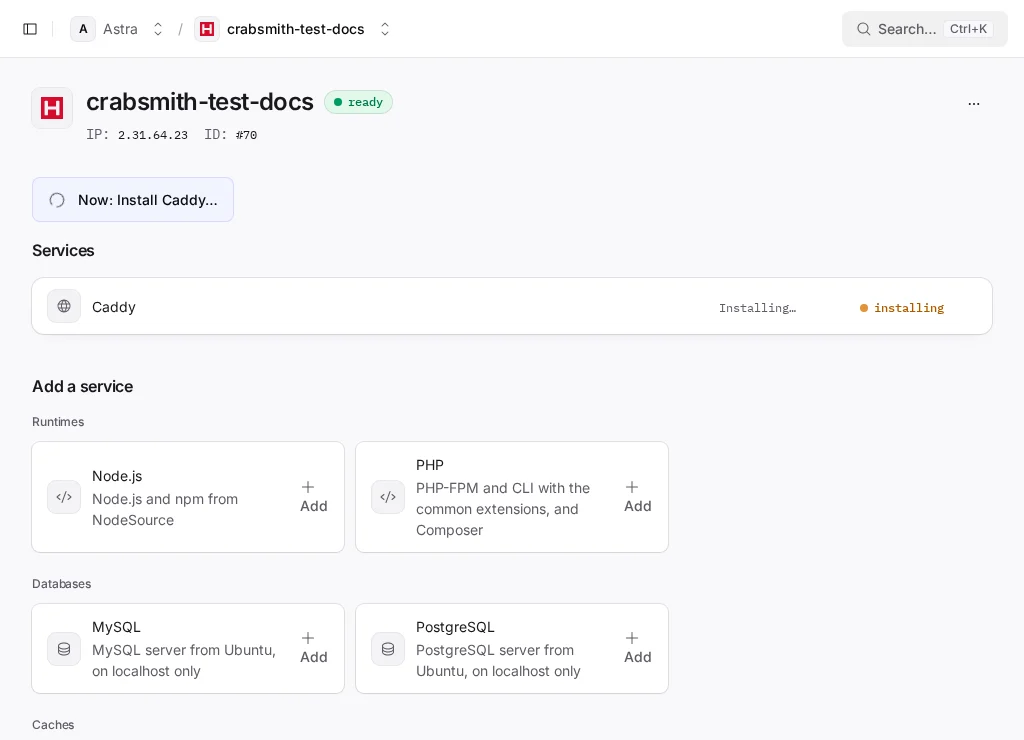
- Open your server's Services tab.
- Under Add a service, pick what you need, choose a version or options, and click Install.
- Once installed, you can see each service's version and live status, and Start, Stop, Restart, or Reload it directly from the panel. (MySQL and Redis use Restart; Node.js and pnpm are CLI tools with no background process.)
- Click Repair to re-run a service's installer without losing your settings.
- Click Remove to uninstall a service once no sites, databases, or other services depend on it. Removing MySQL or PostgreSQL leaves your data directory intact on disk, and removing Caddy keeps its config files.
Good to know:
- Multiple PHP versions: you can install PHP
8.2,8.3,8.4, and8.5side by side on the same server, and choose which version each site uses. - pnpm: requires Node.js to be installed first.
View logs and edit config
- Logs: open a service's Logs tab to read its recent system log output.
- Config: see Config to edit
Caddyfile,php.ini, MySQL, PostgreSQL, or Redis settings safely with automatic validation.
When an install fails
Open the failed step to read the error output, fix the issue (such as disk space or a temporary package mirror error), and click Retry or Repair.