 crabsmith
Operations
Every action Crabsmith runs on a server—setup, installing services, deploying a site, or updating a config—is tracked as an Operation with live output.
Follow, cancel, and retry
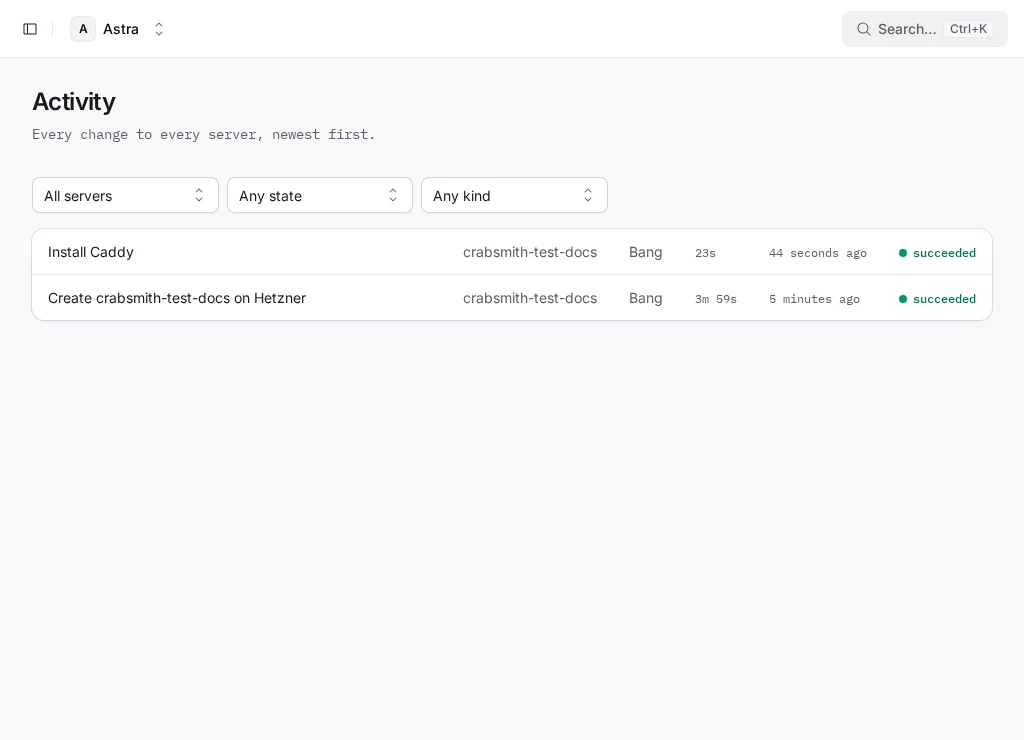
- Live output: operations appear right where you clicked the action and in your Activity list. Open any operation to see every step, live terminal output, timing, and who triggered it.
- Safe ordering: operations on the same server run one at a time so changes never collide; operations on different servers run in parallel.
- Cancel: you can cancel queued or running operations. Canceling a queued operation changes nothing; canceling a running one stops the current command once Crabsmith reaches the server (changes already completed aren't undone).
- Retry: if an operation fails or is canceled, fix the issue and click Retry. Steps that already succeeded are skipped, and Crabsmith picks up right at the step that failed.
- Resilient connections: closing your browser leaves operations running on the server. If Crabsmith briefly loses contact with your server over SSH, it retries reconnecting for up to 10 minutes without repeating work.
When an operation fails
- Open the failed step and read its error message and log output.
- Fix the underlying issue (for example, a syntax error in a deploy script, a missing package, or a full disk) and click Retry.
- If the server rebooted mid-operation, wait for it to come back online and click Retry.
- For SSH authentication, host key, or
sudoerrors, see Troubleshooting.