 crabsmith
How to Deploy Laravel on Hetzner Cloud (Ubuntu 24.04 & Caddy)
Step-by-step tutorial to deploy Laravel on Hetzner Cloud with Ubuntu 24.04, Caddy automatic HTTPS, PHP 8.4-FPM, and systemd queue workers—no Docker overhead.
· 7 min read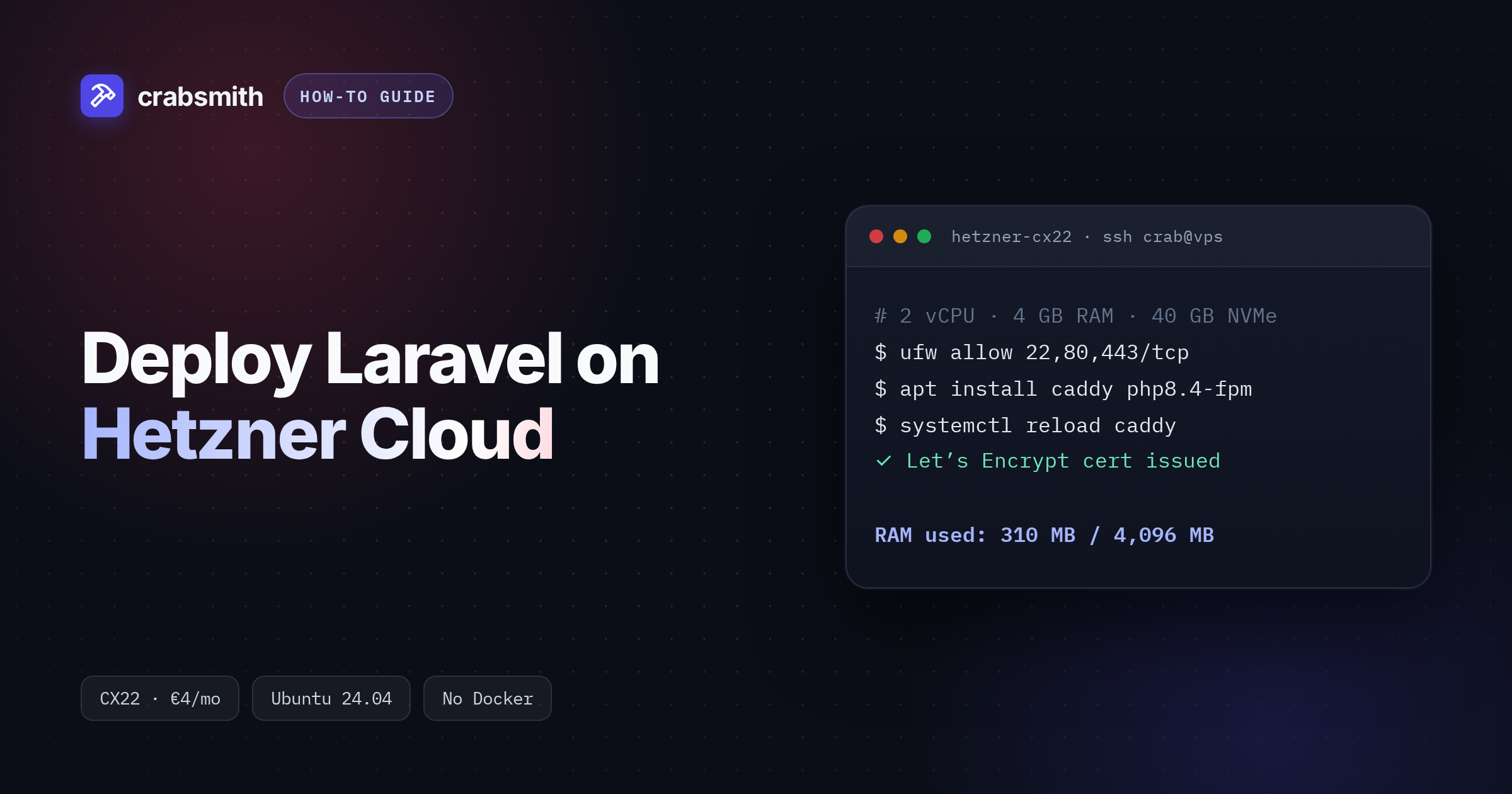
On this page
Learning how to deploy Laravel on Hetzner is honestly one of the highest-leverage skills you can pick up as a web developer. A Hetzner Cloud CX22 gives you 2 vCPU, 4 GB of RAM, 40 GB of NVMe SSD, and 20 TB of included traffic for around €4/mo. Compare that to managed PaaS bills where a single Laravel app plus Postgres, Redis, and a queue worker easily clears $60–$120/mo — and you immediately see why so many indie hackers and engineering teams run production on Hetzner.
The catch isn't Hetzner's hardware (their NVMe disks and network are ridiculously fast for the price). The catch is everything between clicking "Create Server" and having a hardened Ubuntu 24.04 or 26.04 machine with automatic HTTPS, tuned PHP 8.4-FPM, repeatable Git deploys, native systemd queue workers, backups, and zero 3 a.m. surprises.
This guide walks through the exact bare-metal Ubuntu 24.04 + Caddy + PHP 8.4 setup I run on Hetzner Cloud — zero Docker RAM tax, zero 80-line Nginx + Certbot boilerplate, and full root ownership from day one.
(Deploying on DigitalOcean, Vultr, or AWS instead? Read our provider-agnostic Ubuntu VPS Laravel deployment guide or check our Deploy Laravel overview.)
Why Hetzner + Ubuntu 24.04 + Caddy Beats Heavy Container Stacks
If you search for Hetzner Laravel tutorials, you usually hit two extremes:
- 2018-era Nginx + Certbot + Supervisor guides that dump 150 lines of fragile boilerplate on you and leave you debugging Certbot renewal crons six months later.
- Docker + Coolify tutorials that eat 1–1.5 GB of RAM and gigabytes of NVMe disk on build caches before your Laravel app even serves a single request.
On a €4 Hetzner CX22, running directly on Ubuntu 24.04 LTS (or 26.04 LTS) with Caddy and native systemd gives you:
- ~180 MB idle RAM instead of 1+ GB, leaving nearly all 4 GB for PHP-FPM, PostgreSQL/MySQL, and Redis.
- Automatic Let's Encrypt HTTPS with HTTP/2, HTTP/3 (QUIC), and Zstd compression in a 15-line Caddyfile.
- Native systemd queue workers with automatic restart backoff,
MemoryMax=limits, and instantjournalctllogs. - Plain Linux debugging: no container bridge networks, no Traefik labels, no 900 MB image rebuilds just to change a config flag.
Step 1: Pick the Right Hetzner Cloud Server (x86 vs ARM)
Inside the Hetzner Cloud Console, click Add Server and pick cleanly:
- Location: Pick the region closest to your users — Falkenstein, Nuremberg, or Helsinki for Europe; Ashburn (US East) or Hillsboro (US West) for North America; Singapore for Asia-Pacific.
- Image: Ubuntu 24.04 LTS (or Ubuntu 26.04 LTS).
- Server Type:
- CX22 (2 vCPU, 4 GB RAM, 40 GB NVMe, ~€4/mo): Best all-rounder for 1–3 Laravel apps with Postgres/MySQL + Redis on the same box.
- CAX11 (2 ARM64 vCPU, 4 GB RAM, ~€3.80/mo): Slightly cheaper and super snappy for PHP 8.4 + Caddy + Postgres — just verify none of your Composer or npm packages ship x86-only binaries (like older wkhtmltopdf builds).
- CPX21 (3 AMD vCPU, 4 GB RAM): Great if your app does heavier PDF/image processing or runs Vite builds on-server.
- Networking: Enable Public IPv4 (and IPv6 if you use it).
- SSH Keys: Add your Ed25519 public key (
cat ~/.ssh/id_ed25519.pub). - Backups: Optional — Hetzner's automated server snapshots cost 20% extra (~€0.80/mo on a CX22) and are cheap disaster-recovery insurance on top of logical database dumps.
Once booted, SSH in as root to verify connectivity:
ssh root@YOUR_HETZNER_IP
Step 2: Create the Deploy User, Harden SSH, and Lock Down UFW
First order of business: patch the base OS, create a dedicated non-root user (crab), copy your SSH key, and lock down SSH and the firewall.
apt-get update && apt-get upgrade -y

adduser --disabled-password --gecos "" crab
usermod -aG sudo crab

mkdir -p /home/crab/.ssh
cp /root/.ssh/authorized_keys /home/crab/.ssh/authorized_keys
chown -R crab:crab /home/crab/.ssh
chmod 700 /home/crab/.ssh && chmod 600 /home/crab/.ssh/authorized_keys
Test ssh crab@YOUR_HETZNER_IP in a second terminal window before disabling root login. Then drop /etc/ssh/sshd_config.d/00-hardening.conf (prefixing 00- ensures it overrides any 50-cloud-init.conf file on Hetzner's Ubuntu 24.04 image):
sudo tee /etc/ssh/sshd_config.d/00-hardening.conf >/dev/null <<'EOF'
PermitRootLogin no
PasswordAuthentication no
KbdInteractiveAuthentication no
PubkeyAuthentication yes
EOF

sudo sshd -t && sudo systemctl reload ssh
Next, enable UFW so only SSH, HTTP, and HTTPS can reach the server, and add a 2 GB swap file so a sudden Composer or Vite memory spike never triggers the OOM killer:
sudo ufw default deny incoming
sudo ufw default allow outgoing
sudo ufw allow 22/tcp
sudo ufw allow 80/tcp
sudo ufw allow 443/tcp
sudo ufw --force enable

sudo fallocate -l 2G /swapfile
sudo chmod 600 /swapfile
sudo mkswap /swapfile
sudo swapon /swapfile
echo '/swapfile none swap sw 0 0' | sudo tee -a /etc/fstab
(You can also layer a free Hetzner Cloud Firewall in the Hetzner Console allowing only TCP 22, 80, and 443 — defense in depth takes 30 seconds and blocks junk traffic before it even hits your VPS.) For our full 10-step hardening pass including fail2ban, UTC clocks, and journald caps, see our Ubuntu 24.04 server setup checklist.
Step 3: Install Only the Services Laravel Needs
Keep the server lean. Install Caddy, PHP 8.4-FPM with Laravel's extensions, Composer, and only the database/cache your app actually uses:
sudo apt-get install -y debian-keyring debian-archive-keyring apt-transport-https curl gnupg unzip git software-properties-common

curl -1sLf 'https://dl.cloudsmith.io/public/caddy/stable/gpg.key' \
  | sudo gpg --dearmor -o /usr/share/keyrings/caddy-stable-archive-keyring.gpg
curl -1sLf 'https://dl.cloudsmith.io/public/caddy/stable/debian.deb.txt' \
  | sudo tee /etc/apt/sources.list.d/caddy-stable.list

sudo add-apt-repository -y ppa:ondrej/php
sudo apt-get update

sudo apt-get install -y caddy \
  php8.4-fpm php8.4-cli php8.4-common \
  php8.4-mbstring php8.4-xml php8.4-curl \
  php8.4-zip php8.4-bcmath php8.4-intl \
  php8.4-pgsql php8.4-mysql php8.4-redis php8.4-sqlite3

curl -sS https://getcomposer.org/installer | php
sudo mv composer.phar /usr/local/bin/composer
Install PostgreSQL (sudo apt-get install -y postgresql) or MySQL (sudo apt-get install -y mysql-server), plus redis-server if you use Redis for queues, sessions, or cache. Verify with sudo ss -tulpn that your database and Redis bind strictly to 127.0.0.1.
Align PHP-FPM Permissions & OPcache for a 4 GB Hetzner CX22
Edit /etc/php/8.4/fpm/pool.d/www.conf so PHP-FPM runs as crab and allows caddy to read/write the Unix socket cleanly:
[www]
user = crab
group = crab
listen = /run/php/php8.4-fpm.sock
listen.owner = caddy
listen.group = caddy
listen.mode = 0660

pm = dynamic
pm.max_children = 24
pm.start_servers = 3
pm.min_spare_servers = 2
pm.max_spare_servers = 8
pm.max_requests = 500
Add production OPcache defaults in /etc/php/8.4/fpm/conf.d/99-production.ini:
expose_php = Off
display_errors = Off
log_errors = On
memory_limit = 256M
upload_max_filesize = 32M
post_max_size = 32M
opcache.enable = 1
opcache.memory_consumption = 128
opcache.max_accelerated_files = 20000
opcache.validate_timestamps = 0
Validate and restart PHP-FPM: sudo php-fpm8.4 -t && sudo systemctl restart php8.4-fpm.
Step 4: Configure Caddy for Laravel (Automatic HTTPS in 15 Lines)
Put each site in its own clean snippet under /etc/caddy/sites/app.example.com.caddy (with import /etc/caddy/sites/*.caddy in /etc/caddy/Caddyfile):
app.example.com {
    root * /home/crab/sites/app.example.com/public
    encode zstd gzip

    header {
        X-Frame-Options "SAMEORIGIN"
        X-Content-Type-Options "nosniff"
        Referrer-Policy "strict-origin-when-cross-origin"
        -Server
    }

    @blocked path /.env* /.git* /storage/* /vendor/*
    respond @blocked 404

    php_fastcgi unix//run/php/php8.4-fpm.sock
    file_server
}
Validate and reload:
sudo caddy validate --config /etc/caddy/Caddyfile && sudo systemctl reload caddy
Point your domain's A record to your Hetzner IPv4 address. Within seconds, Caddy fetches a Let's Encrypt certificate, redirects HTTP to HTTPS, and enables HTTP/2 and HTTP/3.
Putting your Hetzner box behind Cloudflare in Flexible SSL mode? Prefix the site block with
http://app.example.comso Caddy serves plain HTTP to Cloudflare's proxy without triggering a redirect loop. For WebSockets (Laravel Reverb) and more snippets, see Caddy vs Nginx for Laravel.
Step 5: Deploy Laravel on Hetzner With a Clean Bash Script
As the crab user, clone your repository, create .env (chmod 600 .env, APP_ENV=production, APP_DEBUG=false), and create /home/crab/sites/app.example.com/deploy.sh:
#!/usr/bin/env bash
set -euo pipefail

cd /home/crab/sites/app.example.com
git fetch origin main
git reset --hard origin/main

composer install --no-dev --optimize-autoloader --no-interaction --prefer-dist
php artisan migrate --force
php artisan optimize
php artisan view:cache

sudo systemctl reload php8.4-fpm
php artisan queue:restart
Grant crab passwordless permission to run only systemctl reload php8.4-fpm via /etc/sudoers.d/crab-reload (mode 0440):
crab ALL=(root) NOPASSWD: /usr/bin/systemctl reload php8.4-fpm
Now deploying a new commit is one SSH command from your laptop or GitHub Actions workflow: ssh crab@YOUR_HETZNER_IP "/home/crab/sites/app.example.com/deploy.sh".
Step 6: Run Queue Workers With systemd and Scheduler With Cron
Skip supervisord. A 14-line native systemd unit at /etc/systemd/system/laravel-worker.service gives you automatic restarts, memory caps, and structured journalctl logs with zero extra packages:
[Unit]
Description=Laravel Queue Worker (app.example.com)
After=network.target postgresql.service redis-server.service

[Service]
User=crab
Group=crab
WorkingDirectory=/home/crab/sites/app.example.com
ExecStart=/usr/bin/php artisan queue:work --sleep=3 --tries=3 --max-time=3600 --backoff=5
Restart=always
RestartSec=3
MemoryMax=512M

[Install]
WantedBy=multi-user.target
Enable it and wire up Laravel's scheduler in crab's crontab (crontab -e):
sudo systemctl daemon-reload
sudo systemctl enable --now laravel-worker

# In crab's crontab:
* * * * * cd /home/crab/sites/app.example.com && /usr/bin/php artisan schedule:run >> /dev/null 2>&1
Scaling Cleanly on Hetzner When Your App Grows
One of the best parts of Hetzner Cloud is how painlessly this single-box architecture scales when your product takes off. You don't have to throw everything away and rewrite for Kubernetes:
- Vertical resize takes 60 seconds: Upgrading a CX22 (4 GB) to a CX32 (8 GB) or CX42 (16 GB) in Hetzner Cloud requires a brief power-off and resize — keeping your exact IP address, disk, and configs intact.
- Split your database over a Hetzner Private Network: When you're ready for a dedicated database server, create a free Hetzner Private Network (
10.0.0.0/16), attach both servers, bind PostgreSQL or MySQL strictly to the private10.0.0.xIP, and keep port5432/3306completely unreachable from the public internet. - Off-server backups: Pair Hetzner's cheap weekly server snapshots with nightly
pg_dump/mysqldumpuploads to Cloudflare R2 or Hetzner Storage Box so you always have point-in-time logical backups outside the VM.
Real Cost Breakdown: Hetzner CX22 vs. Managed PaaS
Here is why developers fall in love with this setup once they run the numbers for two production Laravel apps with Postgres, Redis, and queue workers:
| Setup | Monthly Cost | What You Get |
|---|---|---|
| Hetzner CX22 (DIY) | ~€4/mo | 2 vCPU, 4 GB RAM, 40 GB NVMe, 20 TB traffic, full root SSH |
| Hetzner CX22 + Crabsmith Hobby | ~$9.50/mo | Same Hetzner box + hosted panel for up to 2 servers, GitHub push-to-deploy, systemd daemons, logs |
| Hetzner CX22 + Laravel Forge | ~$16.50–$23.50/mo | 1 server on Forge Hobby ($12) or unlimited on Growth ($19) + Nginx/Supervisor |
| Managed PaaS (2 apps + DB + Redis + worker) | $60–$120+/mo | Zero server ops, usage-based compute/DB/bandwidth billing |
Skip the Repetitive Boilerplate Without Giving Up Ownership
Setting up your first Hetzner server by hand is genuinely fun — and teaches you everything you need to debug production calmly. Setting up your third or fourth Hetzner server, plus GitHub push-to-deploy webhooks, .env editing, UFW rules, database management, and live worker logs, gets repetitive fast.
Crabsmith is a hosted control panel that runs this exact Hetzner + Ubuntu + Caddy + systemd architecture over agentless SSH:
- Connect your Hetzner Ubuntu 24.04 or 26.04 VPS in Getting started.
- Pick only the services you want in Services (Caddy, PHP 8.4, PostgreSQL/MySQL, Redis).
- Create your Laravel site with GitHub push-to-deploy (see Laravel guide and Deploys).
- Manage your systemd queue workers in Daemons and cron jobs in Schedules.
Every operation runs readable Bash, no agent is ever installed on your Hetzner box, and if you ever leave Crabsmith your server keeps running as plain Ubuntu + Caddy + systemd. Try it on your next Hetzner VPS with a 7-day free trial (no credit card required).