 crabsmith
Coolify vs Dokploy vs Bare-Metal SSH: Which Fits Your VPS?
Compare Coolify vs Dokploy vs bare-metal Ubuntu SSH on RAM overhead, Traefik vs Caddy, debugging, and pricing to pick the right setup for your VPS.
· 7 min read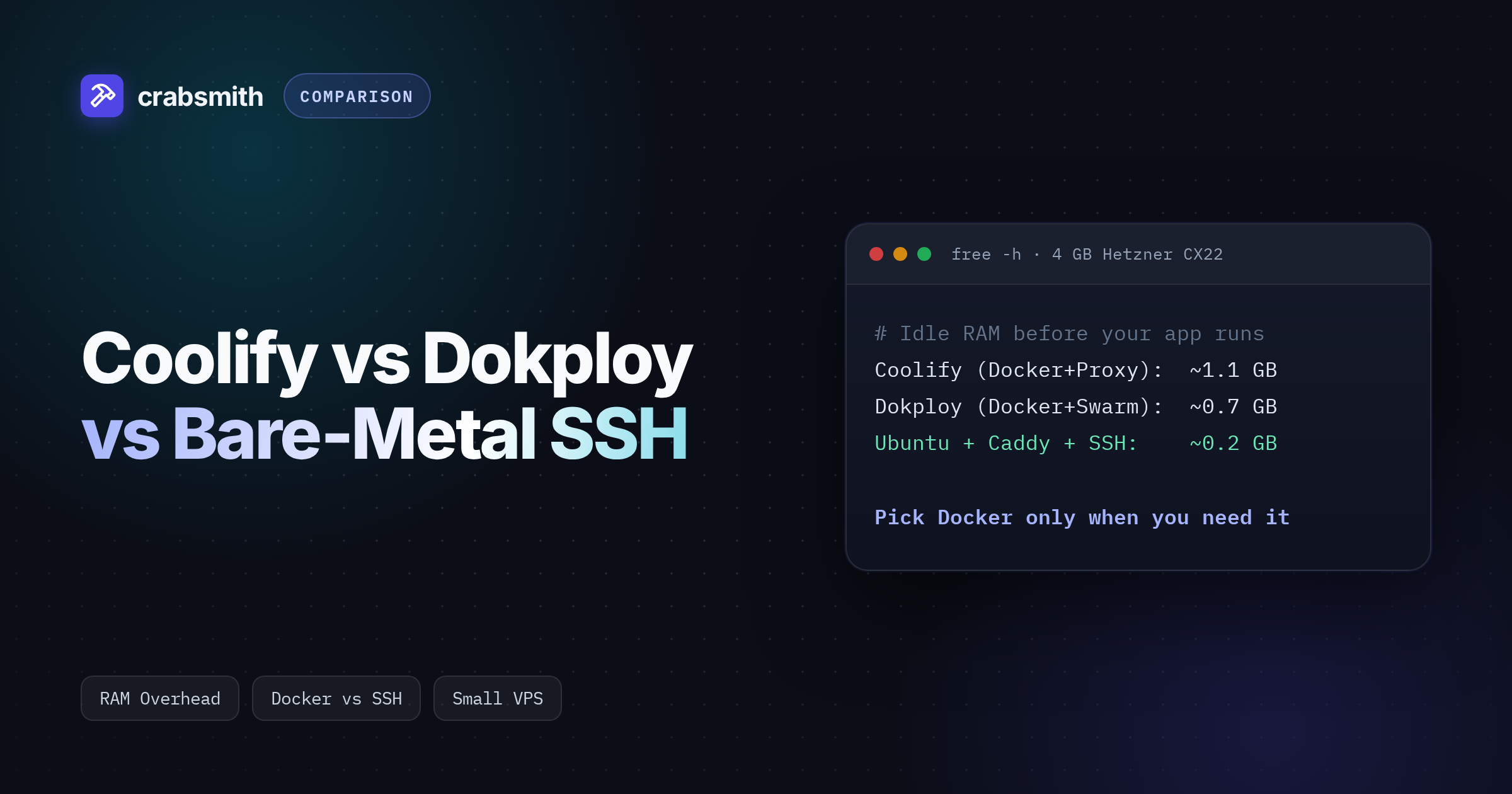
On this page
Comparing Coolify vs Dokploy is one of the hottest debates in the self-hosted VPS community right now — and for good reason. Both tools let you point at a cheap Hetzner or DigitalOcean Ubuntu box, hook up GitHub, and get a slick Heroku/Railway-style dashboard without paying $100/mo in PaaS markups.
Before you spend a Saturday picking between two Docker orchestrators, though, there's an even better engineering question to ask first: do you actually need Docker on that VPS at all?
I love Docker for local dev environments and complex polyglot microservices. On a €4–$12/mo Ubuntu VPS running Laravel, WordPress, Node.js, or Next.js, however, the container layer itself is often the source of half your RAM usage, disk bloat, and 2 a.m. debugging pain. In this deep dive, we'll compare Coolify, Dokploy, and a bare-metal SSH panel (Crabsmith) on real architecture, idle memory, proxy debugging, security quirks (like Docker bypassing UFW), backup/upgrade workflows, and long-term maintenance — so you pick the right tool on day one.
(Looking specifically at moving off Coolify? See our Coolify alternative landing page and Laravel Forge alternative comparison.)
Coolify vs Dokploy: How They Actually Differ Under the Hood
At 30,000 feet, Coolify and Dokploy look nearly identical: both are open-source, self-hostable PaaS panels (with optional paid Cloud tiers) that orchestrate Docker containers and route HTTP/HTTPS traffic through a reverse proxy.
Spend a couple of weeks actually operating both in production and the differences become very obvious:
| Dimension | Coolify | Dokploy | Crabsmith (Bare-Metal SSH) |
|---|---|---|---|
| Control plane stack | PHP / Laravel (self-hosted or Cloud) | Next.js / Node.js (self-hosted or Cloud) | Hosted SaaS panel (zero agent on VPS) |
| App runtime model | Docker + Docker Compose | Docker + Docker Swarm / Compose | Native Ubuntu 24.04 / 26.04 |
| Reverse proxy & TLS | Traefik or Caddy (containerized) | Traefik (containerized) | Native Caddy (auto HTTPS + HTTP/3) |
| Idle RAM (self-hosted on same box) | ~0.9–1.4 GB | ~0.5–0.9 GB | ~150–250 MB (OS + Caddy only) |
| One-click template catalog | Massive (100+ open-source tools) | Growing, more curated | Focused core services (PHP, Node, DBs, Redis) |
| Debugging a crash | docker logs, Compose, Traefik labels |
docker service logs, Swarm, Traefik |
journalctl -u ... + plain files |
| Lock-in if you leave | Medium (Compose + proxy labels) | Medium (Swarm/Compose + Traefik) | Zero (plain Ubuntu + Caddy + systemd) |
| Hosted Cloud pricing | $5/mo (2 servers) + $3/extra | $4.50/mo+ | $5/mo (2 servers) / $12/mo unlimited |
Where Dokploy genuinely beats Coolify
Dokploy feels leaner, faster, and less busy than Coolify. Its Next.js UI is snappy, its memory footprint is noticeably lighter on a single 4 GB VPS, and native Docker Swarm support makes multi-node container scheduling feel cleaner if you actually run multiple container hosts. If you already write clean Dockerfiles and docker-compose.yml files and want a minimal, responsive Docker UI, Dokploy is a joy to use.
Where Coolify genuinely beats Dokploy
Coolify's killer feature is its massive one-click service catalog and mature Git workflow. Want to spin up Plausible, n8n, PocketBase, Ghost, Meilisearch, MinIO, and automatic PR preview environments on an 8 GB or 16 GB Hetzner box in ten minutes? Coolify's community templates and ecosystem momentum are miles ahead.
The Shared Trade-Off Nobody Mentions in YouTube Demos
Both Coolify and Dokploy look effortless in a 10-minute "deploy Next.js on a €4 VPS!" demo video. The friction shows up 30 days later in real production. Run these three commands on a 4 GB VPS after a month of daily Git pushes to see what's actually happening under the hood:
# 1. See how much disk Docker images and BuildKit caches silently ate
docker system df

# 2. Check free RAM before your app even handles a traffic spike
free -h

# 3. Check what Docker actually wrote into iptables (bypassing UFW!)
sudo iptables -t nat -L DOCKER -n -v
Four real-world issues hit almost everyone running Docker PaaS on small VPSes:
1. Build-time RAM spikes and disk creep
Every git push builds a brand-new container image layer. On a 4 GB VPS running PostgreSQL + Redis + your app + the Docker daemon + Traefik, a Next.js or Composer build inside BuildKit can easily push RAM over 100% and trigger the Linux OOM killer. And unless you schedule aggressive docker image prune jobs, /var/lib/docker/overlay2 quietly grows until your 40 GB NVMe disk hits 95% and PostgreSQL refuses writes.
2. Proxy & network indirection at 2 a.m.
Both tools rely heavily on Traefik reading dynamic Docker labels over container bridge networks. When it works, it feels like magic. When a container gets a 502 Bad Gateway or 404 page not found after a panel upgrade, you're digging through docker inspect, Traefik router rules, TLS challenge logs, and host-vs-container UID bind-mount permissions — just to figure out why a PHP or Node process isn't answering port 3000.
3. Security footgun: Docker bypasses UFW by default
If you care about Linux security, this one matters a lot: Ubuntu's UFW firewall does not automatically block ports published by Docker (-p 5432:5432) because Docker inserts its own PREROUTING/FORWARD rules directly into iptables ahead of UFW's chains. One careless Compose port mapping exposes PostgreSQL or Redis to the entire internet even when ufw status claims only 22, 80, and 443 are open.
On a bare-metal Ubuntu server without Docker, UFW works with zero surprises — and services bound to 127.0.0.1 stay strictly local.
4. Maintaining the self-hosted control plane itself
If you self-host Coolify or Dokploy on your own VPS, congratulations: you now operate a mission-critical control plane server too. You have to keep it upgraded, back up its internal database, secure its SSH keys, and troubleshoot when a panel update breaks a webhook or proxy template. Even on a dedicated $5/mo control-plane box, you're paying $5/mo in extra compute just to host the panel itself — which is the exact same price as a hosted panel that manages 2 servers for you with zero control-plane maintenance.
Day-Two Ops: Backups, Upgrades, and Rollbacks Compared
Here is another place the difference between Docker PaaS and bare-metal Ubuntu shows up six months after launch:
- Upgrading PHP or Node.js: On Coolify/Dokploy, you edit your Nixpacks config or
Dockerfilebase image, rebuild the entire container image from scratch, wait for every layer to re-download, and hope no transitive Debian package broke. On bare-metal Ubuntu, upgrading minor security patches happens automatically viaunattended-upgrades, and switching a site's PHP-FPM socket or Node version takes seconds. - Database backups: Dumping a containerized Postgres database means wrapping
docker execaroundpg_dumpand remembering which named volume holds your data. On native Ubuntu,pg_dumpormysqldumpruns directly against localhost over Unix sockets with zero container path gymnastics. - Emergency hotfixes & log inspection: When a production webhook is failing right now, SSH-ing straight into
/home/crab/sites/app.example.comand tailingstorage/logs/laravel.logorjournalctl -u caddyis instant. Nodocker exec -it <random-hash> shonly to discovervim,curl, andlessaren't installed in your Alpine container image.
How Bare-Metal SSH Compares in Day-to-Day Operations
If your actual stack is PHP (Laravel, WordPress, Symfony, CrabPHP), Node.js, or Next.js, ask yourself what Docker is actually buying you on a single VPS. Usually? Nothing — except slower deploys and less free RAM.
With a bare-metal SSH panel like Crabsmith, your Ubuntu 24.04 or 26.04 server stays pure Linux:
- Zero agent, zero Docker daemon: Crabsmith is a hosted control panel that connects over standard OpenSSH only when you run an operation, executing readable Bash scripts you can inspect.
- Only the services you choose: Connecting a server installs nothing from the catalog automatically. Pick Caddy, PHP 8.4-FPM, Node.js, pnpm, PostgreSQL, MySQL, or Redis in Services.
- Native Caddy automatic HTTPS: Every site gets a clean 12-line Caddyfile with automatic Let's Encrypt TLS, HTTP/2, HTTP/3, and Zstd compression (see Caddy vs Nginx for Laravel).
- Native systemd workers: Background workers run as real systemd units in Daemons. Debugging a worker crash is one instant command:
journalctl -u crab-daemon-worker -n 100 --no-pager
- 10-second GitHub deploys: Instead of rebuilding a 600 MB container image on every typo fix, Deploys pulls your commit, runs
composer install/pnpm build, reloads PHP-FPM or your Node daemon, and finishes in seconds. - Zero lock-in: Remove Crabsmith's SSH key from
/home/crab/.ssh/authorized_keysand your Ubuntu server keeps running every site, certificate, database, and worker untouched.
Real-World Decision Matrix: Which One Fits Your VPS?
Be honest about what you're deploying — each of these three tools has a clear sweet spot:
- Choose Dokploy if you love writing Dockerfiles/Compose, want a fast lightweight UI, and want Docker Swarm multi-node scaling on 4–16 GB servers.
- Choose Coolify if you want a huge one-click open-source Docker template catalog (n8n, Plausible, Ghost, MinIO) and branch-based PR previews on an 8 GB+ VPS.
- Choose Crabsmith if you run PHP, Laravel, WordPress, Node.js, or Next.js on Ubuntu 24.04/26.04 and want maximum free RAM, native Caddy HTTPS, zero Docker debugging, and zero lock-in — starting at $5/mo for 2 servers or $12/mo for unlimited servers.
Want to feel how snappy a clean bare-metal Ubuntu box is compared to a container stack? Spin up a spare VPS and test Crabsmith free for 7 days (no credit card required), or read Getting started to see everything it runs over SSH.